Renaming and casting to the hospitality IPTV set top box
Learn how to rename your IPTV set top box and how to cast content from supported devices.
The Hospitality IPTV service does not allow login access to third-party applications (such as Netflix, Disney+, YouTube, etc.) through the set top box.
However, if the set top box and end-user are connected to the same network (such as a public Wi-Fi network), an end-user can cast third-party applications from their mobile device to the set top box.
Steps to cast:
- Ensure set top box is on a network that can also be accessed by the end-user. To check which network the set top box is connected to,
- Navigate to and select Settings on the Home Screen

- Select (Device) System
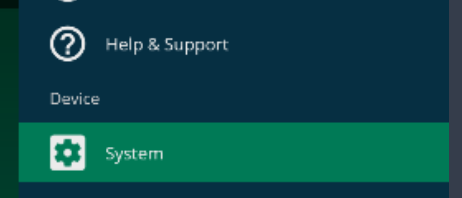
- Observe the network name of the set top box.
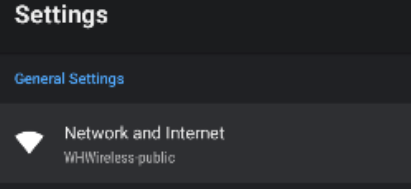
- Navigate to and select Settings on the Home Screen
- Ensure the mobile device is connected to the same network.
- Open the third-party application on the mobile device and begin to play content. If the application supports casting, the casting symbol (
 ) should be visible.
 - Press the cast symbol and select the set top box to cast to.
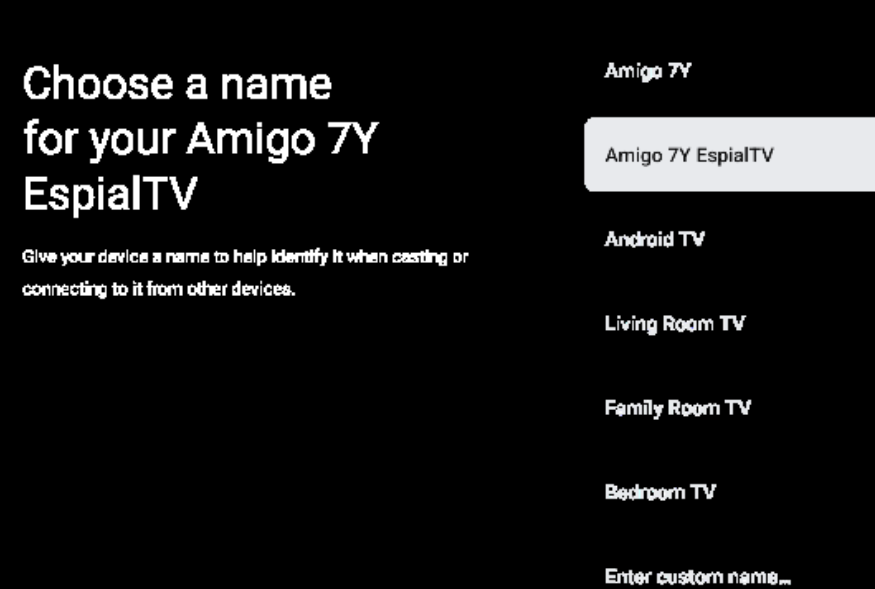
- The default name of the set top box is ‘Amigo 7Y’.
- Controls for the third-party application remain on the mobile device. To exit casting, press the cast symbol on the mobile device again or close the third-party application on the mobile device.
If multiple set top boxes are in the same area, set top boxes can be given a nickname to differentiate one room from another.
Note: The dedicated access that is provided with the Hospitality IPTV service does not support general internet use. End-users cannot connect and use the dedicated access for their mobile devices.
Note: Northwestel cannot troubleshoot third-party application issues.
If multiple set top boxes are in the same area, set top boxes can be given a nickname to differentiate one room from another. The default name of the set top box is ‘Amigo 7Y’. Set top boxes can be renamed to anything you like, but we suggest something like “Room 101 TV set top box”.
Steps to rename the Hospitality IPTV set top box:
- Navigate to and select Settings on the Home Screen
- Select (Device) System
- Select Device Preferences
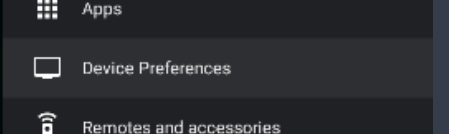
- Select About
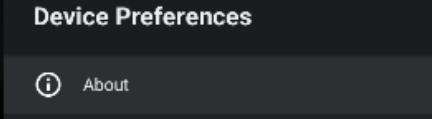
- Select Device Name
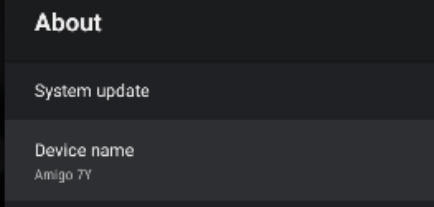
- Select ‘Change’

- Choose from the list of suggested name options or enter a custom name